Battle Motion Plugins
A downloadable tool
BattleMotions.js
BattleMotions.js adds custom movement-based battle motions to RPG Maker MV, allowing skills and weapons to perform attacks with dedicated movement sequences instead of relying solely on the default battle animations.
The plugin currently includes three motions: Slam, Throw, and Sneak. Each motion changes how the attacker and target move during the attack, allowing battles to feel more dynamic and physical.
Slam sends the attacker toward the target while launching the target upward before bringing both battlers back to their original positions.
Throw brings the attacker and target together, lifts the target, and throws them back toward their original position.
Sneak allows the attacker to leave the battlefield, disappear from view, reappear beside the target for the attack, and then retreat before returning to their original position.
The motions can be customized with animation notetags, allowing individual skills and weapons to use different animations while keeping the movement system consistent.
BattleMotions.js is designed as the foundation of the Battle Motions series, focusing on distinctive attack movement and positioning rather than replacing RPG Maker MV's normal battle system.
BattleMotions2.js
BattleMotions2.js is the second plugin in the Battle Motions series, expanding RPG Maker MV's battle movement system with additional attack motions designed around speed, aerial movement, and repeated attacks.
This plugin introduces three additional motions: Leap, Dash, and Barrage.
Leap launches the attacker toward the target in an arc, creating an aerial attack sequence before returning the attacker to their original position.
Dash sends the attacker rapidly toward the target, pauses at close range, performs the attack, applies configurable knockback, and then returns the attacker to their starting position.
Barrage turns repeated attacks into a multi-position assault. The attacker approaches the target and repeatedly attacks from different positions around them, with the number of hits determined by the action's normal RPG Maker MV repeat count.
BattleMotions2.js also includes configurable damage delays, animations, sounds, movement speeds, knockback, and other motion-specific settings.
Like the original BattleMotions.js, this plugin works through skill and weapon notetags, allowing individual attacks to select the motion they use without changing the rest of the battle system.
CounterStates.js
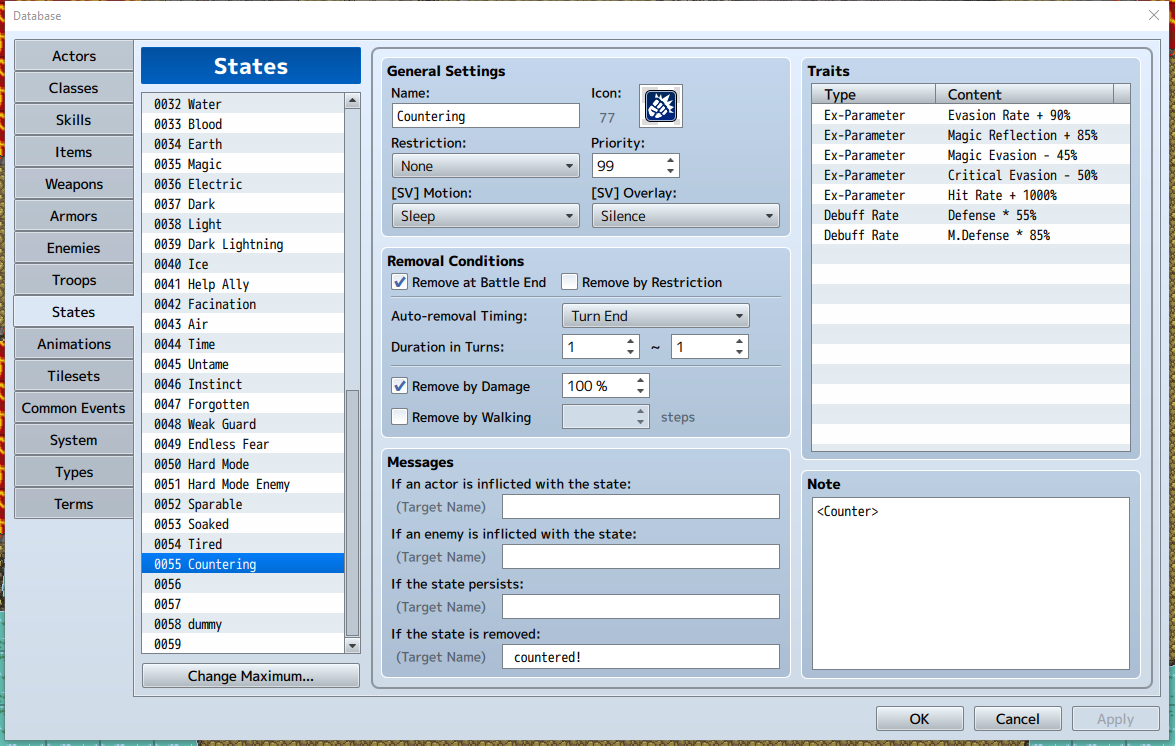
CounterStates.js adds a state-based counterattack system to RPG Maker MV. Instead of requiring a specific counter skill or weapon, a battler can gain the ability to counter simply by having a state containing the Counter notetag.
When a battler with the Counter state successfully dodges an incoming attack, they automatically perform a configurable counterattack against the attacker.
Normal RPG Maker MV reflection remains unchanged. A reflected attack follows the standard reflection system, while a successfully dodged attack can trigger the custom Counter motion.
The counter sequence consists of the battler dodging the incoming attack, moving toward the attacker, performing a normal Attack, and returning to their original position. The counterattack uses the countering battler's normal Attack and hit calculation while ignoring the target's EVA and MEV for the counterattack itself.
The plugin includes configurable counter movement speed, return speed, attack animation, sound effects, damage delay, and optional debug information.
CounterStates.js is designed to work independently from the BattleMotions plugins, giving states their own reaction-based battle behavior without requiring skills or weapons to contain special motion tags.
Chat GPT helped me with the code for all 3, they have all been tested. there are SLIGHT bugs with Leap and Barrage, but they aren't important. there's no other known bugs.
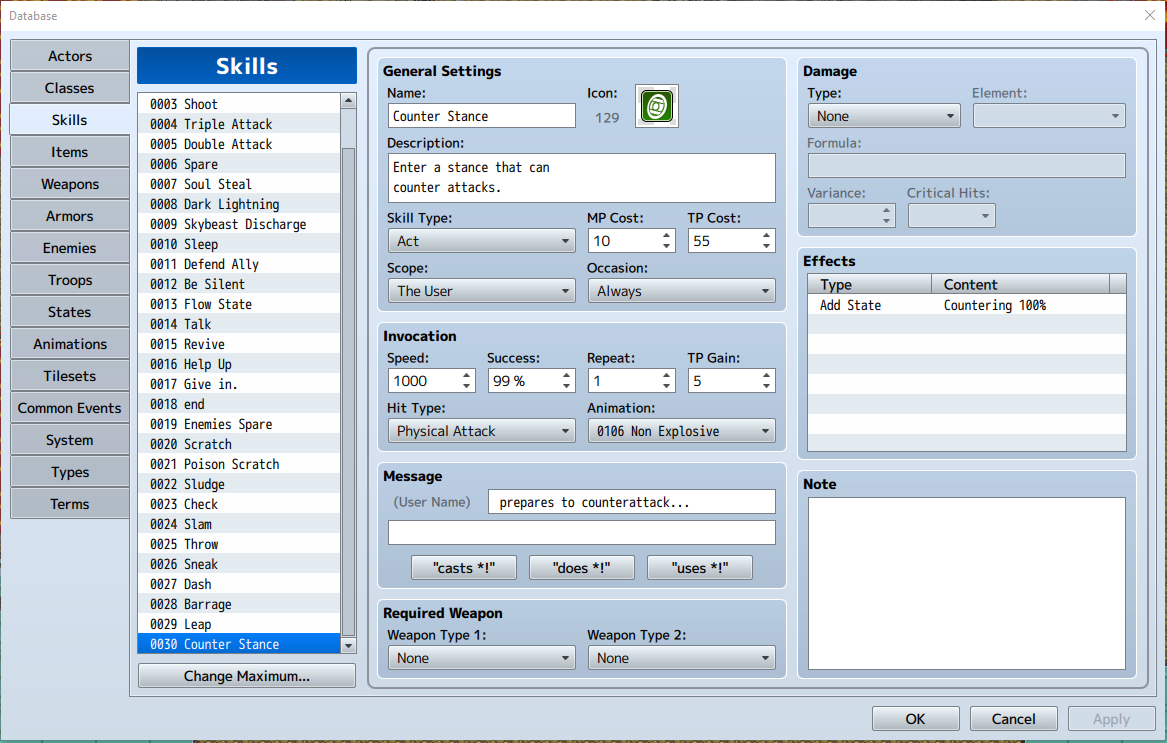
The images are examples of how to use the counter states. its fairly simple, just like the other plugins, but obviously requires the state to be active.
Download
Install instructions
Install the plugin you want.
put it in the plugins folder.
enable the plugin.
all 3 work together.
none are required for the other.
but i recommend using all 3 for the full experience.
Leave a comment
Log in with itch.io to leave a comment.